Native · Free · No Subscriptions · Mac, iPad & iPhone

Write simply,never lose a word.The distraction-free Markdown editor for Mac, iPad & iPhone.

Inkiostro keeps up to 40 versions of every document, saved quietly while you write — and restores a single paragraph, not just the whole file. Deleted something this morning? Get exactly that back and leave the rest of today's work alone. A fast, native editor with live preview, iCloud sync and publication-ready export. No accounts, no subscriptions.

  • Restore one paragraph, not the whole file
  • iCloud sync across devices
  • Private — no tracking
Private & focused
iCloud SyncPDF · EPUB · HTML · MDNo accountsNo trackingWorks offline
One app, every device

Mac, iPad and iPhone — in perfect sync

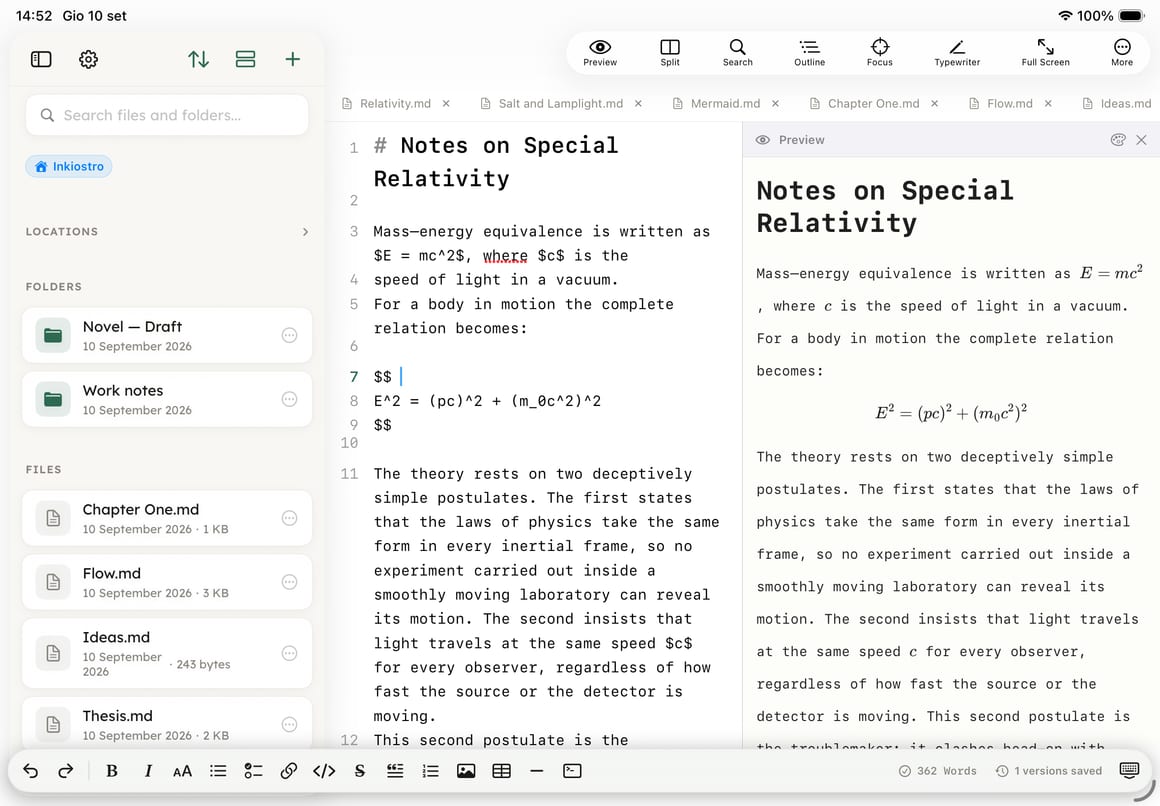
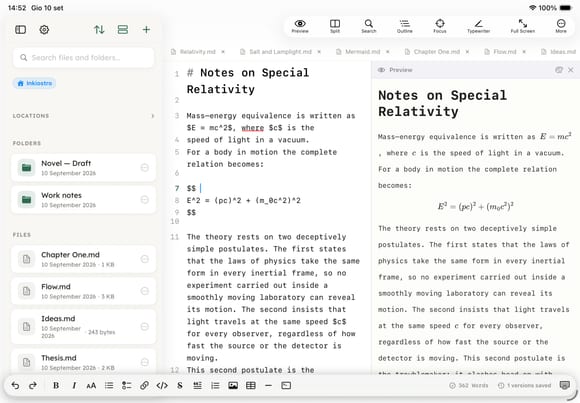
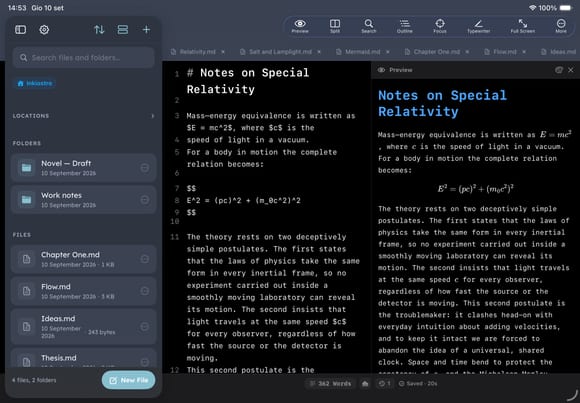
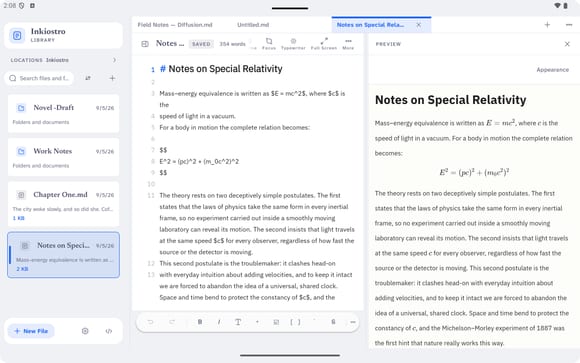
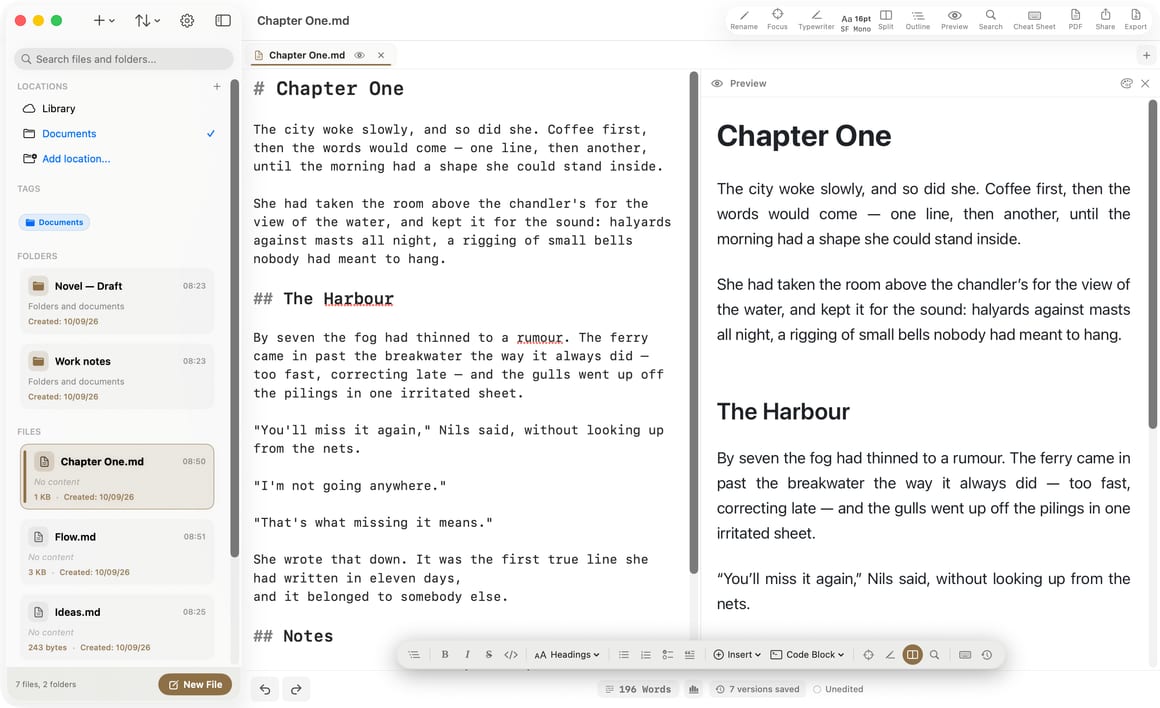
Inkiostro is a native app that feels at home on each device. Do your best work on Mac in a full three-pane window, keep writing on iPad with the split-view preview, and capture ideas on iPhone. iCloud keeps every document up to date automatically.

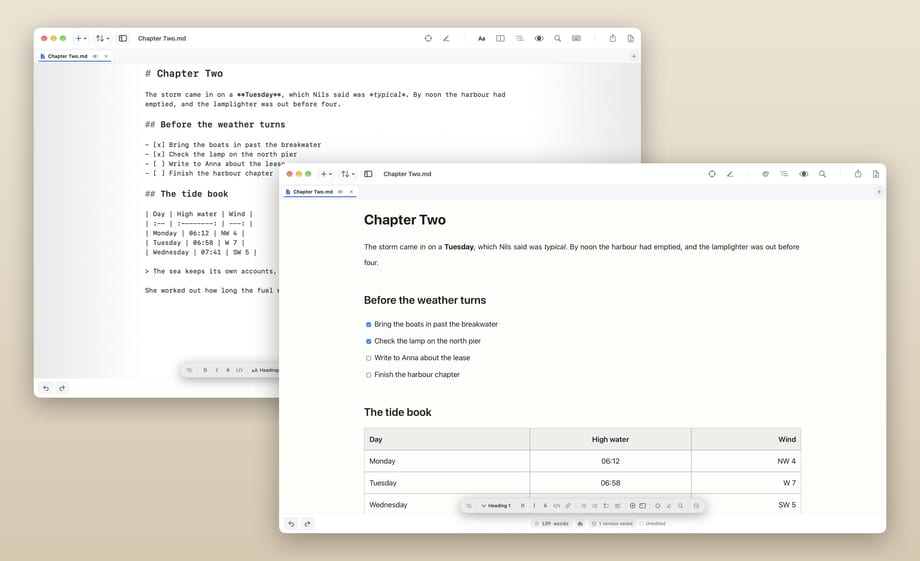
Mac

A roomy three-pane window with the most advanced Inkiostro yet — tabs, document outline, command palette and full keyboard control.

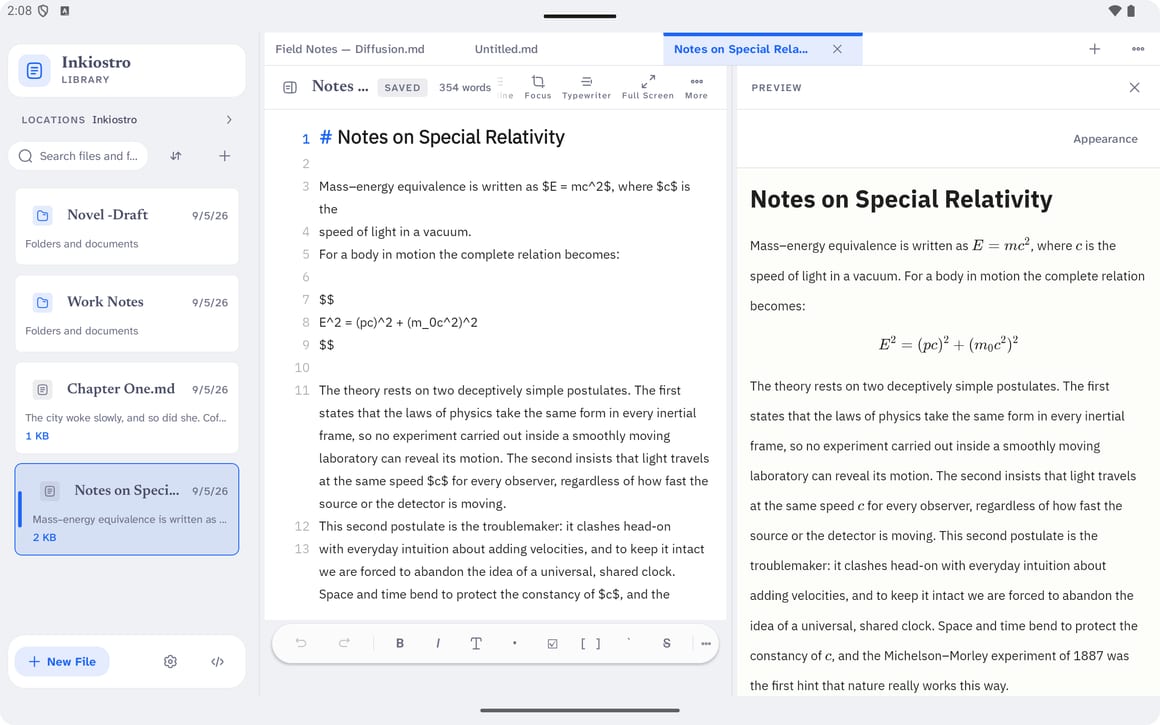
iPad

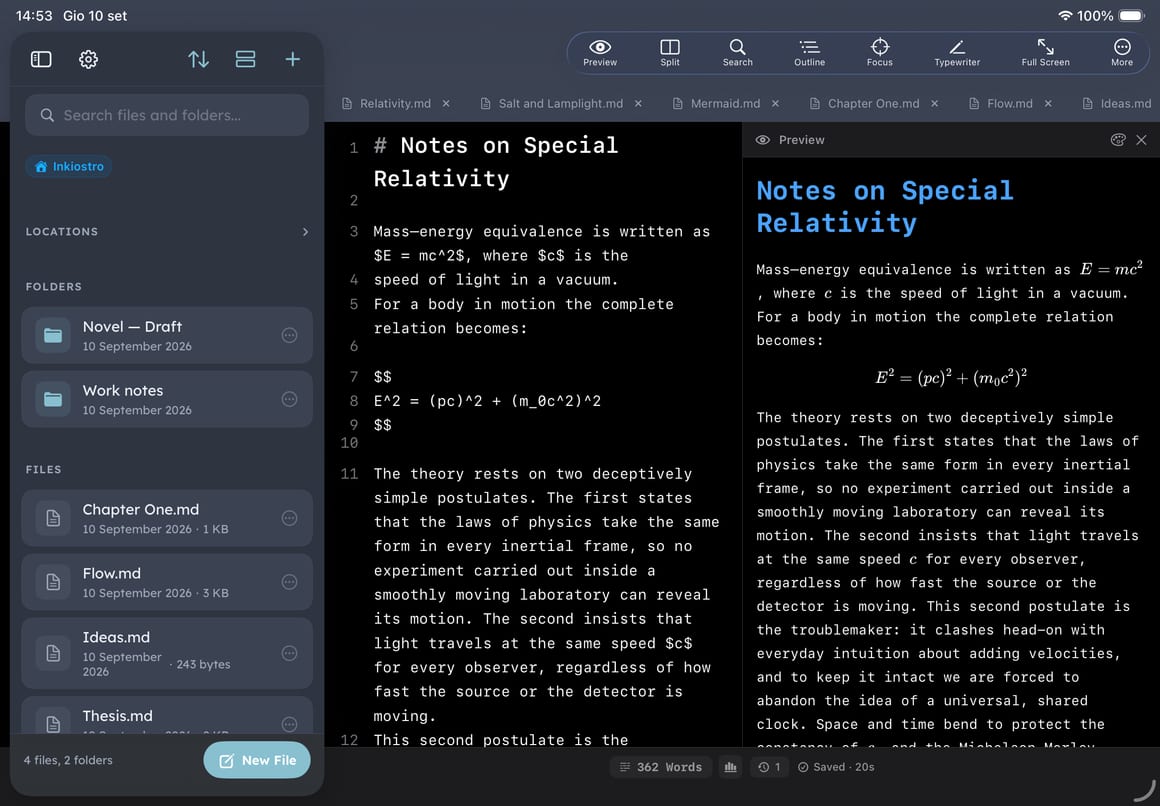
Editor and live preview side by side, with your files always one tap away.

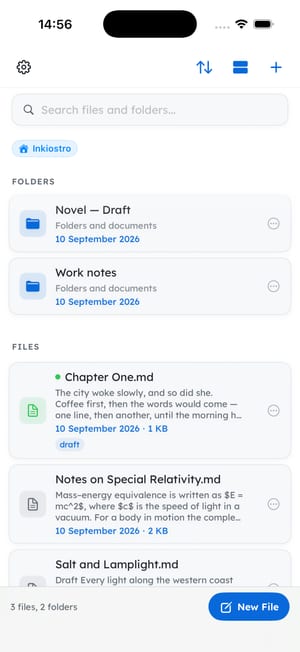
iPhone

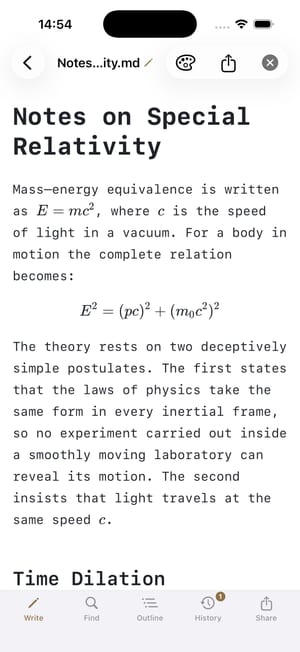
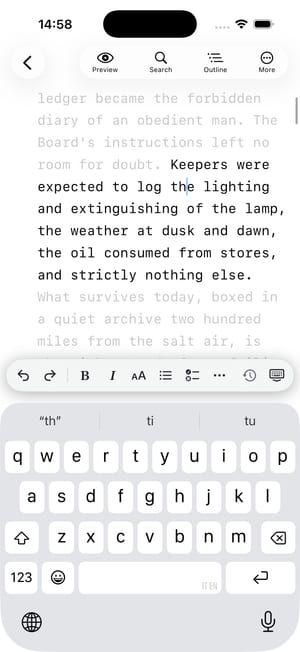
Distraction-free writing in your pocket, with the formatting toolbar above the keyboard.

Why Inkiostro

Two things no other Markdown editor here does

Live preview, iCloud sync and a clean window are table stakes — every app in this category has them. These two are the reason to pick this one, and they work the same on iPhone, iPad and Mac.

Version history

Undo this morning, keep this afternoon

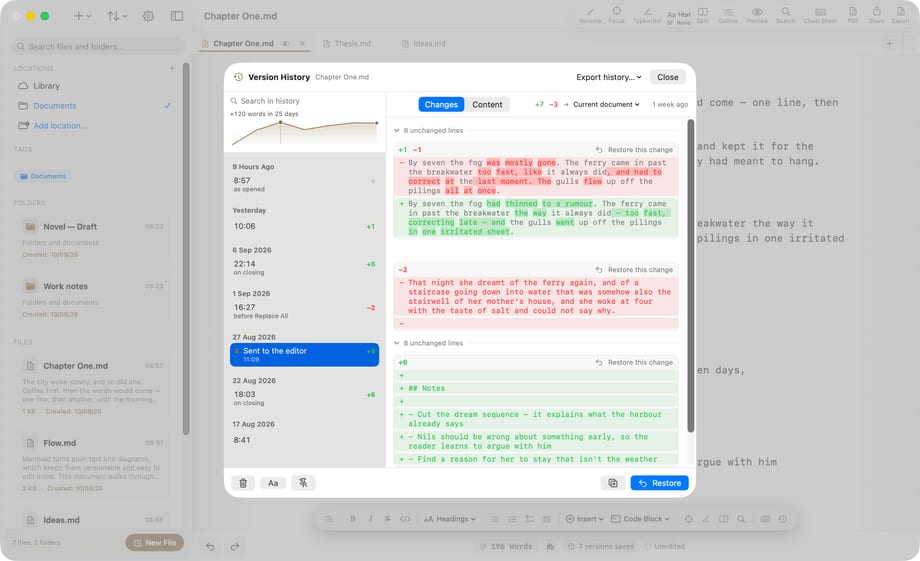
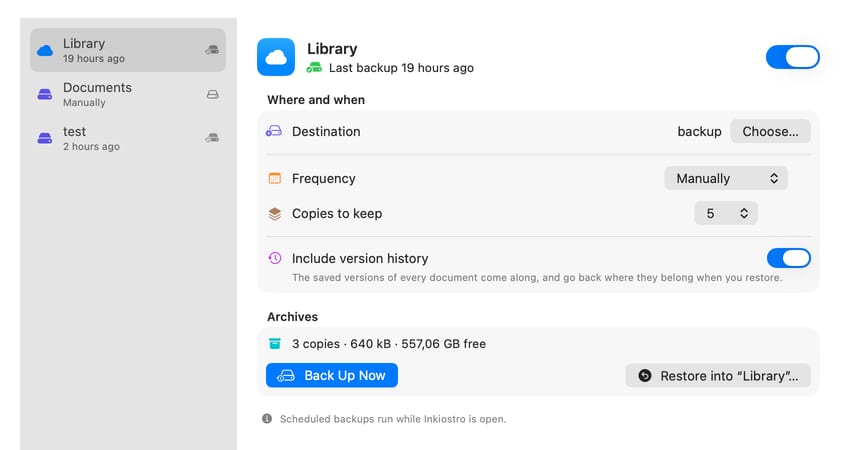
Every editor has undo, and it dies the moment you close the app. Inkiostro saves up to 40 versions of each document as you write, shows a line-by-line diff between any two of them, and — the part nothing else here does — restores one paragraph out of an old version without reverting everything you have written since.

  • 40 automatic versions per document, no setup
  • Line-by-line diff between any two versions
  • Restore a single paragraph, not the whole file
Formulas & diagrams

Still text when it lands on someone else's desk

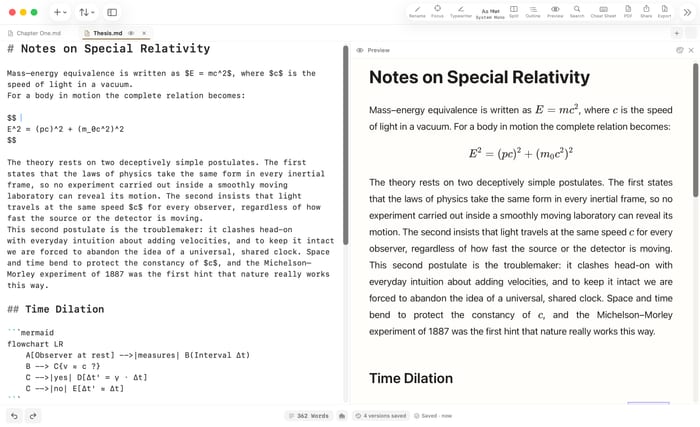
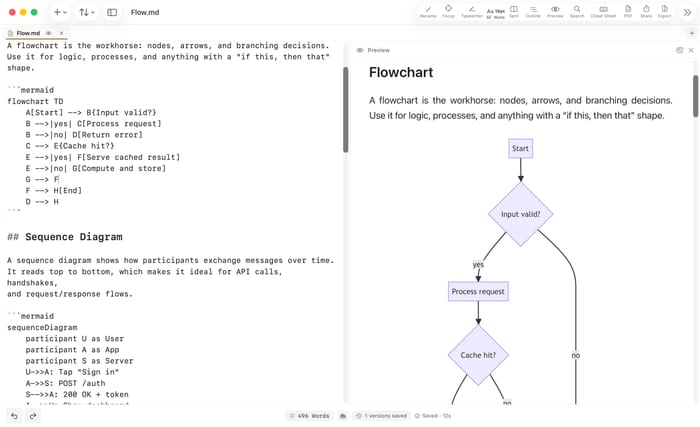
Type $E = mc^2$ and KaTeX sets it as you go. Open a Mermaid block and it becomes a real flowchart, sequence or Gantt chart — drawn with words instead of dragged with a mouse. Then export, and here is the part that matters: the equation is still an equation and the diagram is still a diagram. Selectable, searchable, copyable. Most editors hand your reader a photograph of your maths and hope nobody tries to quote it.

  • LaTeX inline with $ … $ or as a display block
  • Mermaid flowcharts, sequences and Gantt charts
  • Selectable in the PDF — never flattened into an image
First on Mac

On Mac, Inkiostro does even more

The Mac app is 100% native and the most advanced Inkiostro yet: a three-pane window where files, editor and live preview sit side by side. New power features land here first, then reach iPhone and iPad — but a handful stay Mac-only, because they only make sense with a keyboard and a Finder.

Document outline Mac

Navigate long documents from a searchable outline of every heading, always at hand in the side panel (⌘⇧O).

Command palette Mac

Reach every action and shortcut in a keystroke, without leaving the keyboard (⌘⇧P).

Tabs Mac

Keep several documents open in one window and switch with a click — or turn tabs off and write one file at a time.

Finder integration Mac

Drag files in from the Finder, right-click anywhere in the sidebar to create a file or folder, and jump back to any document in the Finder.

Print Mac

Print straight from the app (⌘P), with the same layout, theme and fonts as the preview.

Made for the keyboard Mac

A full menu bar and a shortcut for everything — formatting, export, focus mode, version history.

Everything else — LaTeX math, Mermaid diagrams, EPUB and HTML export, version history and the cheat sheet — is on iPhone and iPad too.

Features

Everything you need to write in Markdown

A calm editor built for focus and simplicity. No clutter — just your words, with the tools you actually use.

The editor

A calm, distraction-free writing space

Type smoothly with live syntax highlighting and a formatting toolbar always within reach. Don't want to memorize symbols? Tap a button and Inkiostro inserts the right Markdown for you.

  • Bold, italic, strikethrough, code & links
  • Headings, lists, checklists, quotes & tables
  • Find in document, word count & daily goal
Live preview

See it rendered as you write

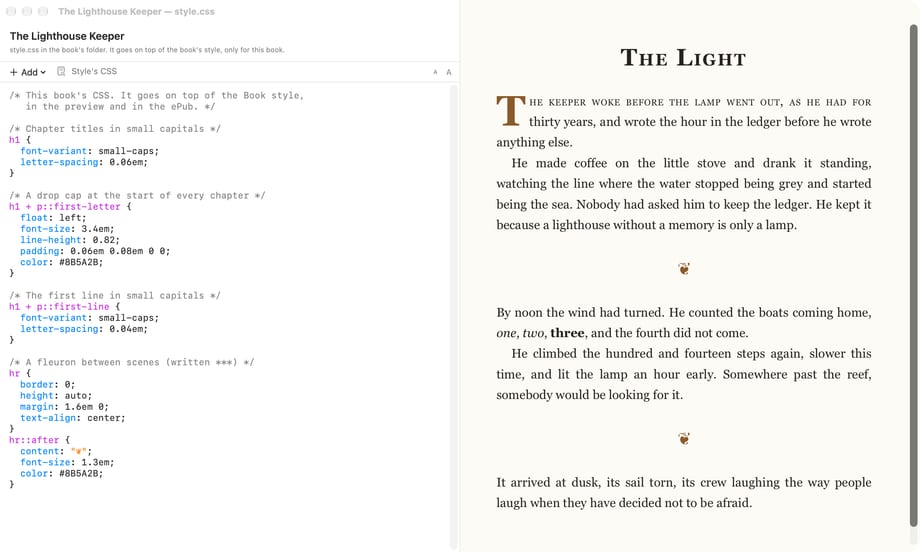
Watch your words transform instantly into publication-ready typography. Choose from 11 curated preview styles (GitHub, Sepia, Nord, Solarized) to read your work comfortably without writing a single line of CSS.

  • Real-time rendered preview
  • 11 preview styles, light & dark — all free
  • Pinch or tap to zoom
Files & iCloud

Organized, and always with you

Group notes into folders with color labels and track your writing stats effortlessly. Turn on iCloud to keep every document automatically in sync across Mac, iPad, and iPhone — encrypted in your personal iCloud.

  • Folders & color labels
  • iCloud sync across all your devices
  • Word count, size & dates per file
Export & share

Turn a note into a polished document

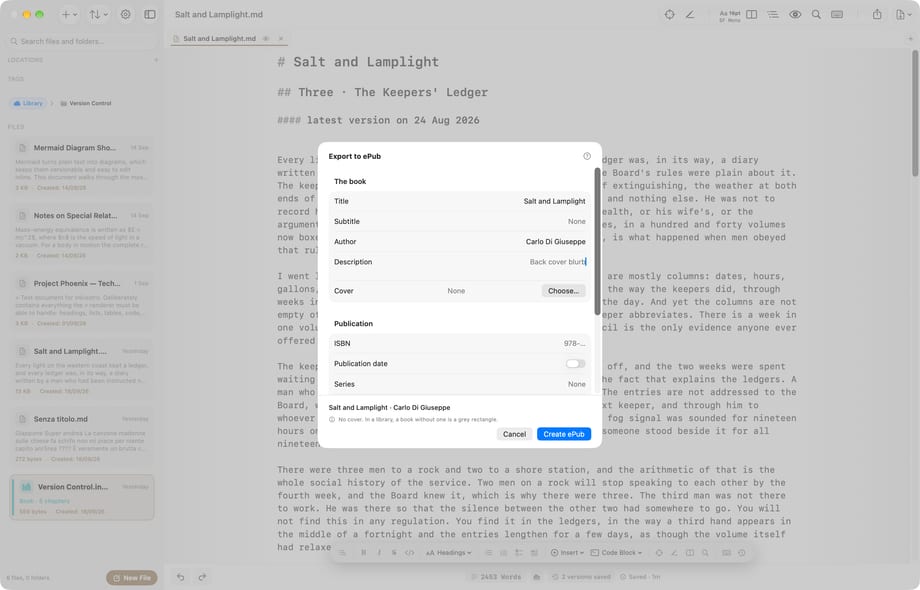
Turn any draft into a beautifully formatted document ready for clients, readers, or printing. Export to PDF with custom headers, footers, page numbers, and margins, or output to HTML, EPUB, TXT, and Markdown.

  • Export to PDF, EPUB, HTML, TXT & Markdown
  • PDF header, footer, page numbers & margins
  • PDF matches your preview theme and font
More inside

Thoughtful details, everywhere you look

Formatting toolbar

One-tap bold, italic, headings, lists, links, images and tables — the right Markdown, inserted for you.

Live preview

Watch your document render in real time, then jump straight back to editing.

24 app themes PRO

Restyle the whole app, light and dark. Separate from the 11 preview styles, which are free for everyone.

Focus & Typewriter PRO

Fade everything but the current line, or keep the cursor centered for deep, immersive writing.

Writing goal & stats

Live word count and a daily writing goal with a progress ring to build a habit.

Tables

Insert a ready-to-fill Markdown table with the columns and rows you choose.

Find in document

Search a long note and jump between matches, highlighted as you type.

Fonts & text size PRO

Choose your editor font and size — and on Pro, write with any font installed on your device.

Color labels & info

Tag files and folders with colors and open info for word count, size and dates.

Inkiostro Pro

Pro power. Zero subscriptions.

Inkiostro is free forever with everything you need to draft — unlimited documents, file import, and writing goals. Pro adds advanced tools for publishing and deep focus. Try it free for 14 days: one-time purchase, no recurring subscriptions, no lock-in.

  • Focus & Typewriter — dim everything but the sentence you're writing
  • Version history with line-by-line diff and one-click restore
  • Export to HTML and EPUB (PDF export stays free)
  • External folders — any local or iCloud Drive folder
  • 24 app themes, light and dark
  • Write with any font installed on your device
Download free on the App Store
Coming from another editor?

Honest comparisons, including where they win

Every page below says plainly which cases the other app handles better. If it is the right tool for you, use it — these are here so you can tell.

Free & Pro

Great for free. Even better with Pro.

Everything you need to write is free forever. Upgrade once to Pro for advanced publishing and customization — no recurring fees.

FeatureFreePro
Clean editor & live preview
iCloud sync (iPhone, iPad, Mac)
Export to PDF, TXT & Markdown
Available in 14 languages
11 preview styles
Unlimited documents & file import
Unlimited daily writing goal
Markdown cheat sheet
LaTeX math & Mermaid diagrams
Focus & Typewriter mode
Version history
Export to HTML & EPUB
24 app themes
Custom device fonts
External folders (local & iCloud Drive)
How it works

From draft to export in three steps

1

Write in Markdown

Type in plain Markdown with syntax highlighting and the formatting toolbar always within reach.

2

Preview in real time

Tap preview to see your document beautifully rendered, then jump straight back to editing.

3

Export & share

Send your writing anywhere as PDF, HTML, TXT or Markdown — or share it straight from the app.

📄PDF
🌐HTML
📝TXT
📋Markdown
Who it's for

Made for anyone who writes

From quick notes to long-form drafts, Inkiostro keeps you focused on the words — not the formatting.

✍️Writers & authors
🎓Students & researchers
💻Developers
📰Bloggers
🗒️Note-takers
📔Journalers
FAQ

Frequently asked questions

Is Inkiostro free?
Yes — Inkiostro is free to download, and everything you need to write is included: unlimited documents, file import, an unlimited daily goal, PDF export, 11 preview styles and the Markdown cheat sheet. Inkiostro Pro is an optional one-time upgrade that adds version history, Focus & Typewriter mode, HTML and EPUB export, external folders, 24 app themes and custom fonts. You can try Pro free for 14 days.
Does it work on iPad and Mac too?
Yes. Inkiostro is a native app for iPhone, iPad and Mac. On iPad and Mac you get the editor and live preview side by side, and iCloud keeps every document in sync across all your devices.
Does Inkiostro have a live preview?
Yes. Tap the preview button to see your document rendered in real time — headings, lists, quotes, tables and more — then switch back to editing instantly. Choose from 11 preview styles, all free.
Where are my documents stored?
Your documents are stored locally on your device and, if you enable iCloud, synchronized to your personal iCloud account, encrypted by Apple. They never pass through our servers.
Which formats can I export to?
PDF, HTML, plain text (TXT) and Markdown. For PDF you can add a title, header, footer, page numbers and adjust the margins — and it matches your preview theme and font.
Does Inkiostro collect any data?
No ads, no trackers, no account — ever. Inkiostro does collect anonymous, aggregated usage statistics (which features are used, how often the app opens) to decide what to improve; no personal data and no content of your documents ever leaves your device, and you can turn it off in Settings → Privacy. Your writing stays private on your device and in your iCloud.
Which languages are supported?
Inkiostro is available in 14 languages, including English, Italian, German, French, Spanish, Portuguese, Russian, Japanese, Korean, Chinese, Hindi, Arabic, Swedish and Dutch.
Is there a Markdown editor for Mac?
Yes — Inkiostro is a native Mac app as well as an iPhone and iPad app, from a single universal download. On macOS you get a full three-pane window with your files, the editor and the live preview side by side, and iCloud keeps every document in sync with your other devices.
What's the best free Markdown editor for iPhone?
Inkiostro is a free, distraction-free Markdown editor for iPhone with live preview, a formatting toolbar, iCloud sync and PDF export — no ads, no account and no tracking. Everything you need to write is included for free; Inkiostro Pro is an optional upgrade.
Can I write Markdown on iPad?
Absolutely. On iPad, Inkiostro shows the editor and the live preview side by side with your files a tap away — ideal with a keyboard for long-form writing. Your documents sync with your iPhone and Mac through iCloud.
Can I write math formulas and diagrams?
Yes, on every device. Inkiostro renders LaTeX/KaTeX math — inline $…$ and block equations — and Mermaid diagrams (flowcharts, sequences and more) live as you write and in your exports, on Mac, iPad and iPhone.
What's the difference between the Mac and iOS versions?
Inkiostro on Mac is 100% native and the most advanced version: tabs, drag and drop from the Finder, printing, a document outline and a command palette. Everything else — LaTeX math, Mermaid diagrams, EPUB and self-contained HTML export, version history, the Markdown cheat sheet — is now on iPhone and iPad too. New power features land on Mac first and then come to iOS, and iCloud keeps every document in sync.

Start writing today

Download Inkiostro and discover a cleaner, calmer way to write in Markdown.

Download free on the App Store